
Manage Comments
When enabled, Contao allows you to receive and manage comments submitted to your news or blog section on your site. When someone reads a news or blog post on your site they can add their comment after the post by filling in the comment form. When a comment is added you will receive an email letting you know that a comment has been added to the site. Once a comment is added you can edit, hide or delete it.Step 1
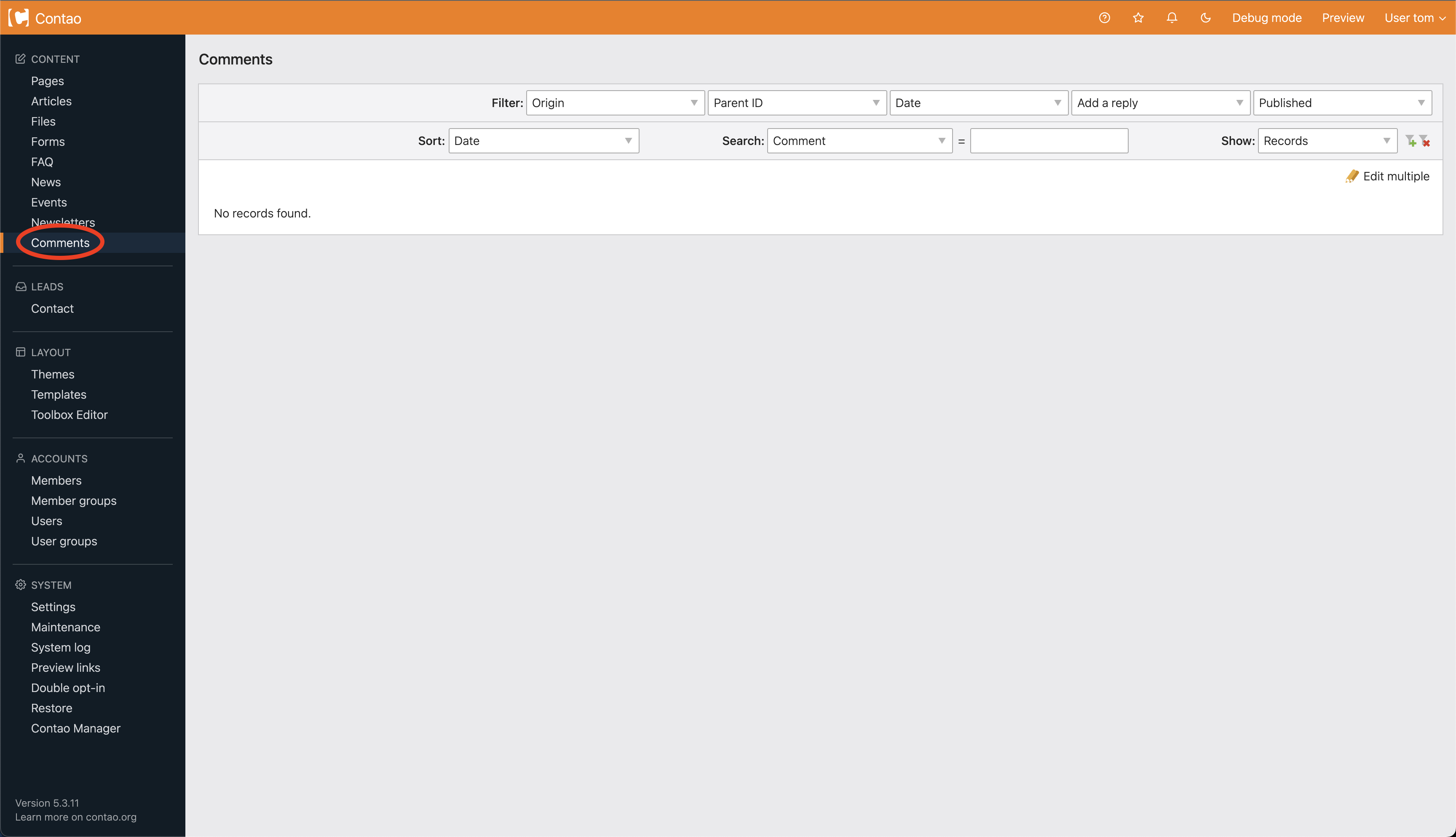
Select Comments from the navigation (circled below).
Step 2
You will be taken to the comments section showing a list of comments. From here you can edit a comment by clicking on the edit icon  . You can also hide a comment by clicking on the green eye icon or delete it by clicking on the red x icon.
. You can also hide a comment by clicking on the green eye icon or delete it by clicking on the red x icon.
Step 3
Once you have clicked on the pencil icon you'll be taken to the comment editing screen. On the editing screen you'll see the comment Author, their E-mail address and their Website if they enter one. Make any edits to the text you want. To publish or unpublish a comment click the Publish comment checkbox. When you are done making your changes click Save and close.
Disable Comments on a News or Blog Article
You can disable comments on specific news or blog articles when you create them by clicking on the Disable comments checkbox located under expert settings in your news or blog article. See image below.