Create a New Folder
Step 1
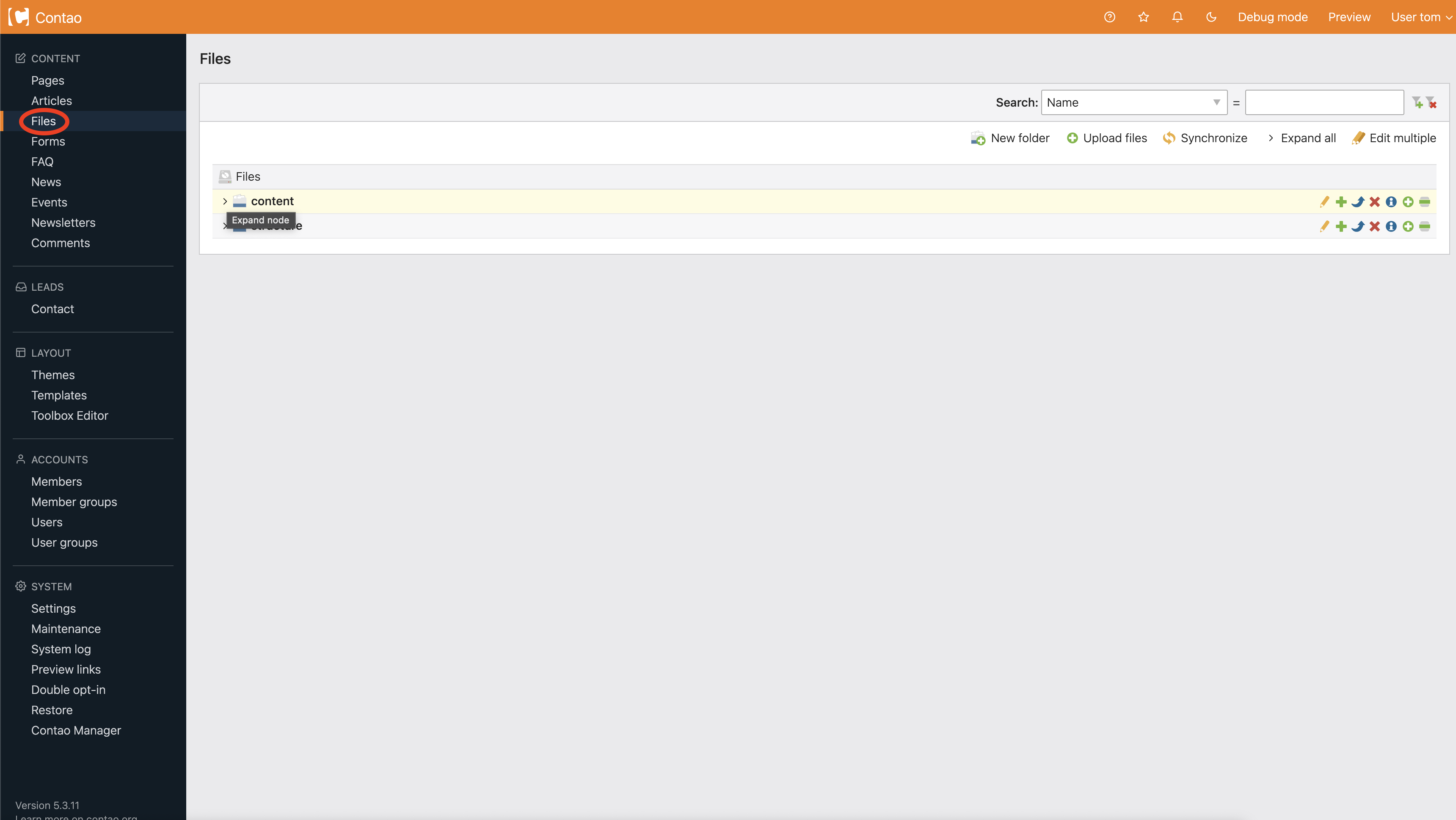
Choose Files from the navigation (circled below).
Step 2
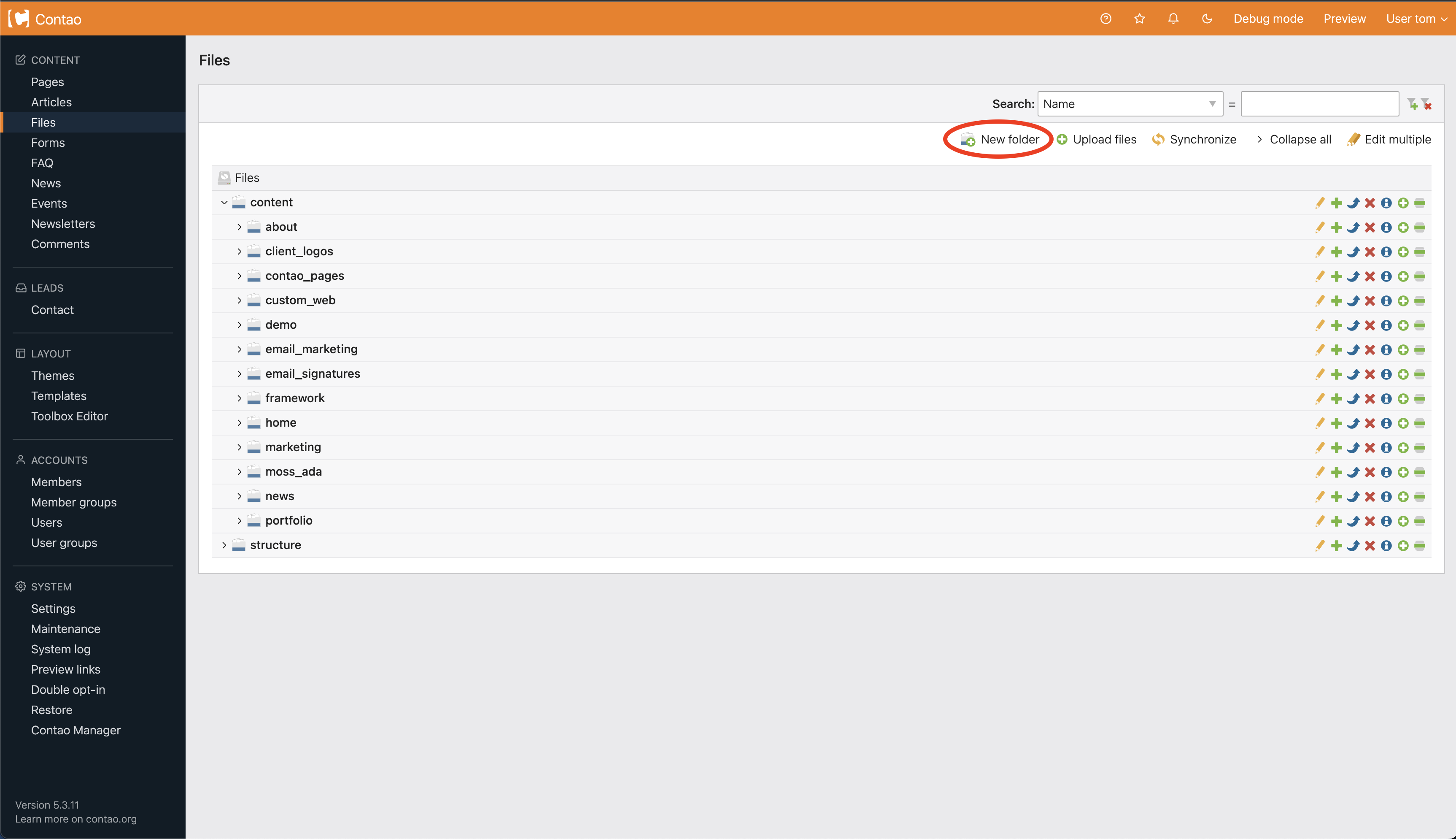
You will be brought to the Files homepage. From here you can create a folder to hold files by choosing New folder (circled below).
Step 3
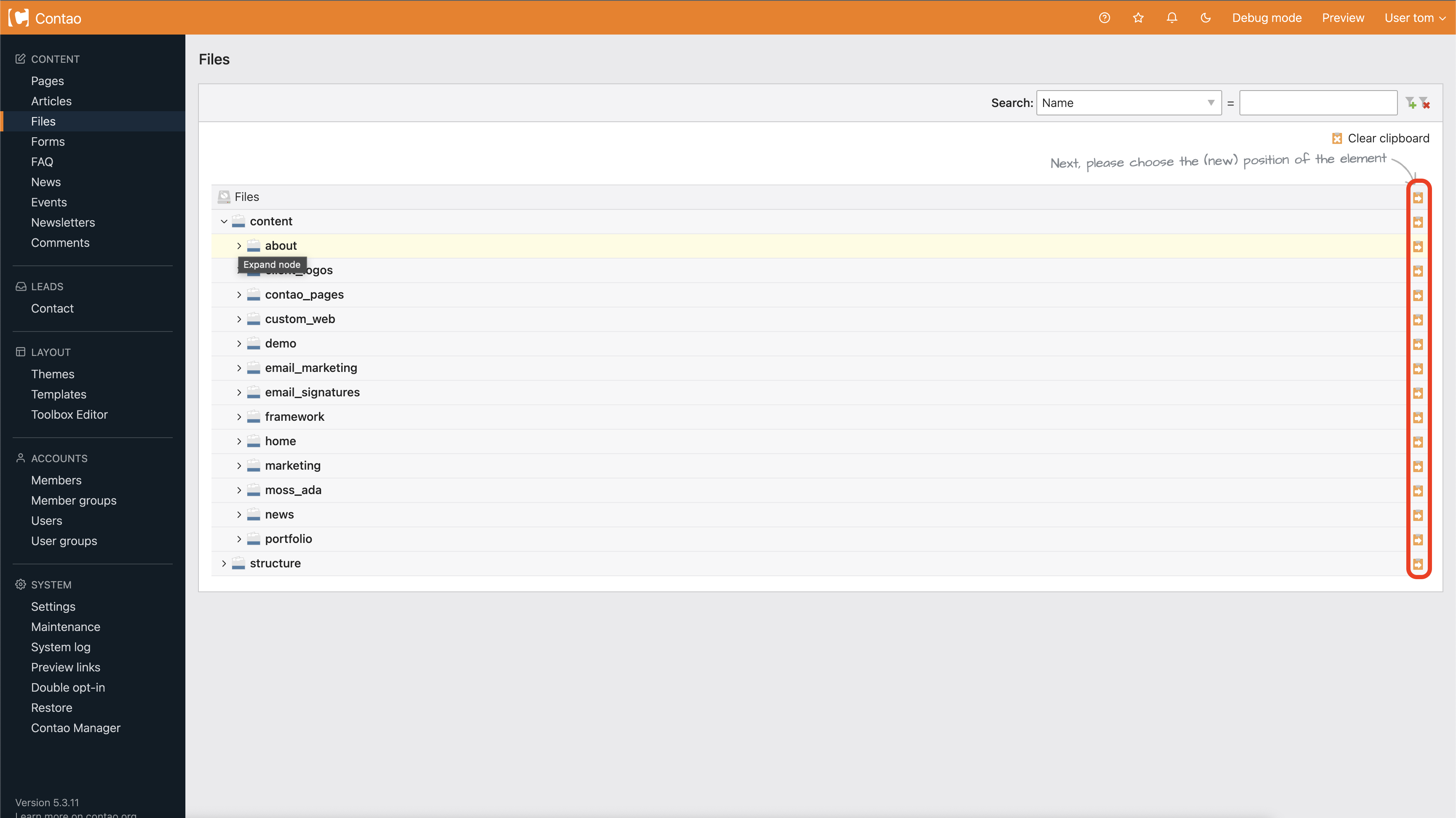
Arrow icons will appear. These icons will allow you to put the folder into certain spots on your website (circled below). Click this arrow to add the new folder into another folder.
Step 4
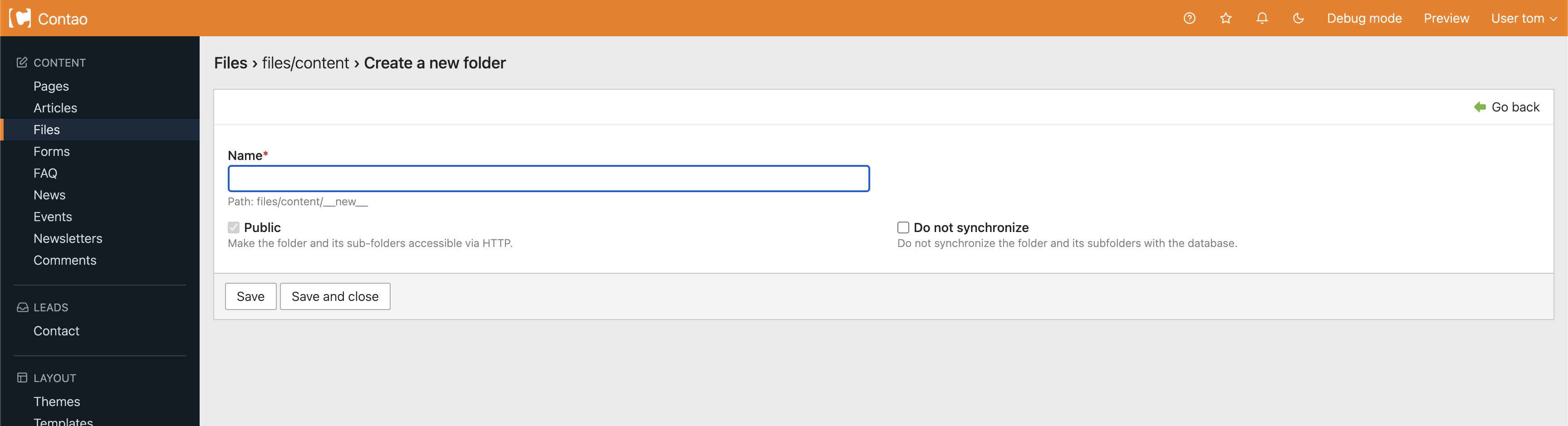
After clicking the arrow you are brought to a page to name your folder. Name your folder and click save and close at the bottom.